
Every service runs on its policies and procedures. Keeping them current, read by the people who need them, and connect to daily practice is still manual work.
The new Policies and Procedures feature brings your governing documents into 1Place – on schedule, in front of your team and your families, and linked to the operational records that sit behind them.
Policies protect Children, support Educators, and keep Families confident, with a clear understanding of how the service operates.
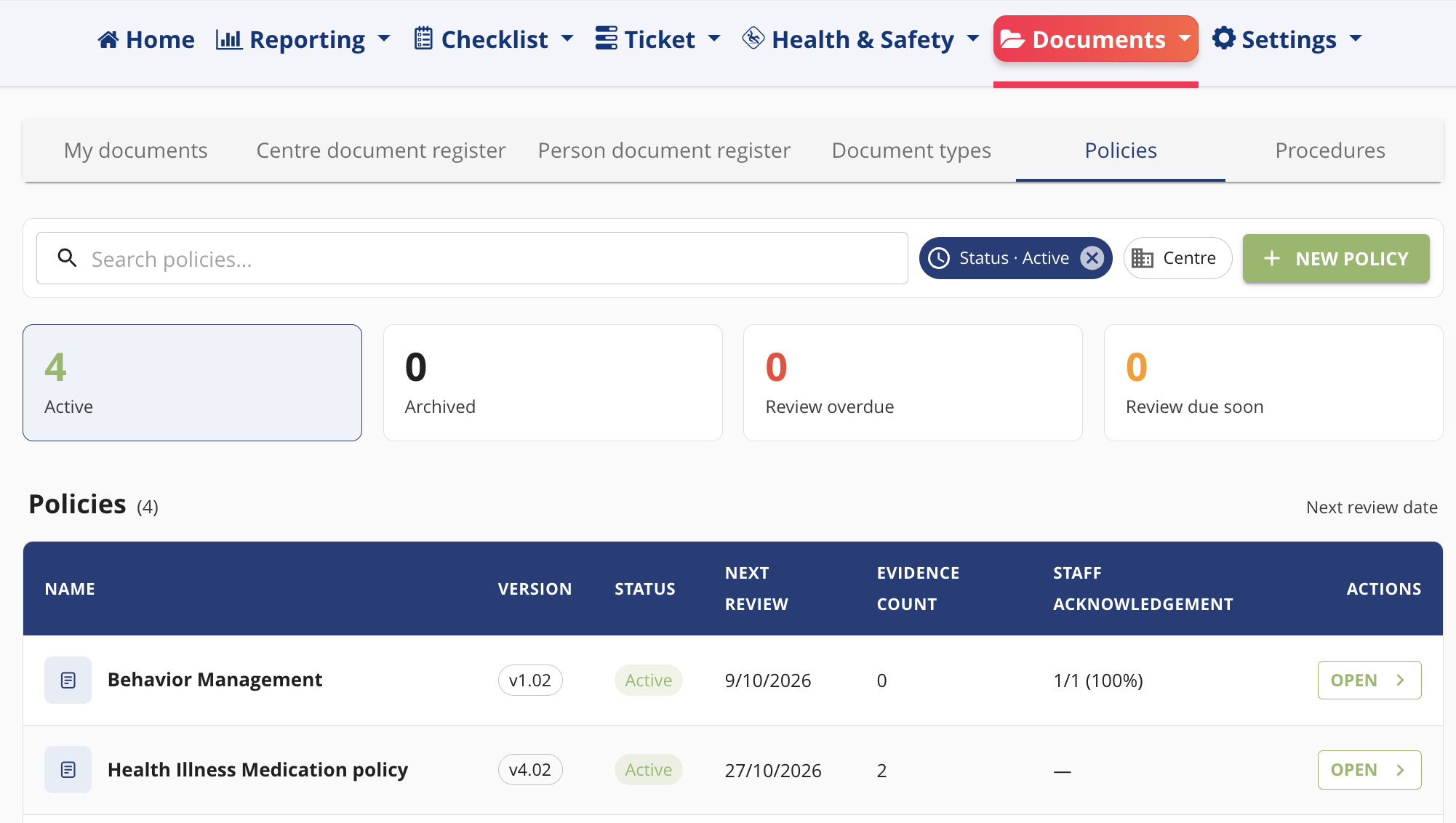
One library, on its schedule
Store your policies and procedures in one library, distinct but linked.
- A policy states what your service does and why.
- A procedure sets how it’s done – the steps, who’s responsible, and when.
Give each one a name, a description, and its last and next review dates. 1Place then highlights when renewal is due and uses those dates to frame the record captured against it.
No spreadsheets. Always current, assessment-ready, and clearly versioned.
Policies connected to what actually happens
This is where it does more than store documents.
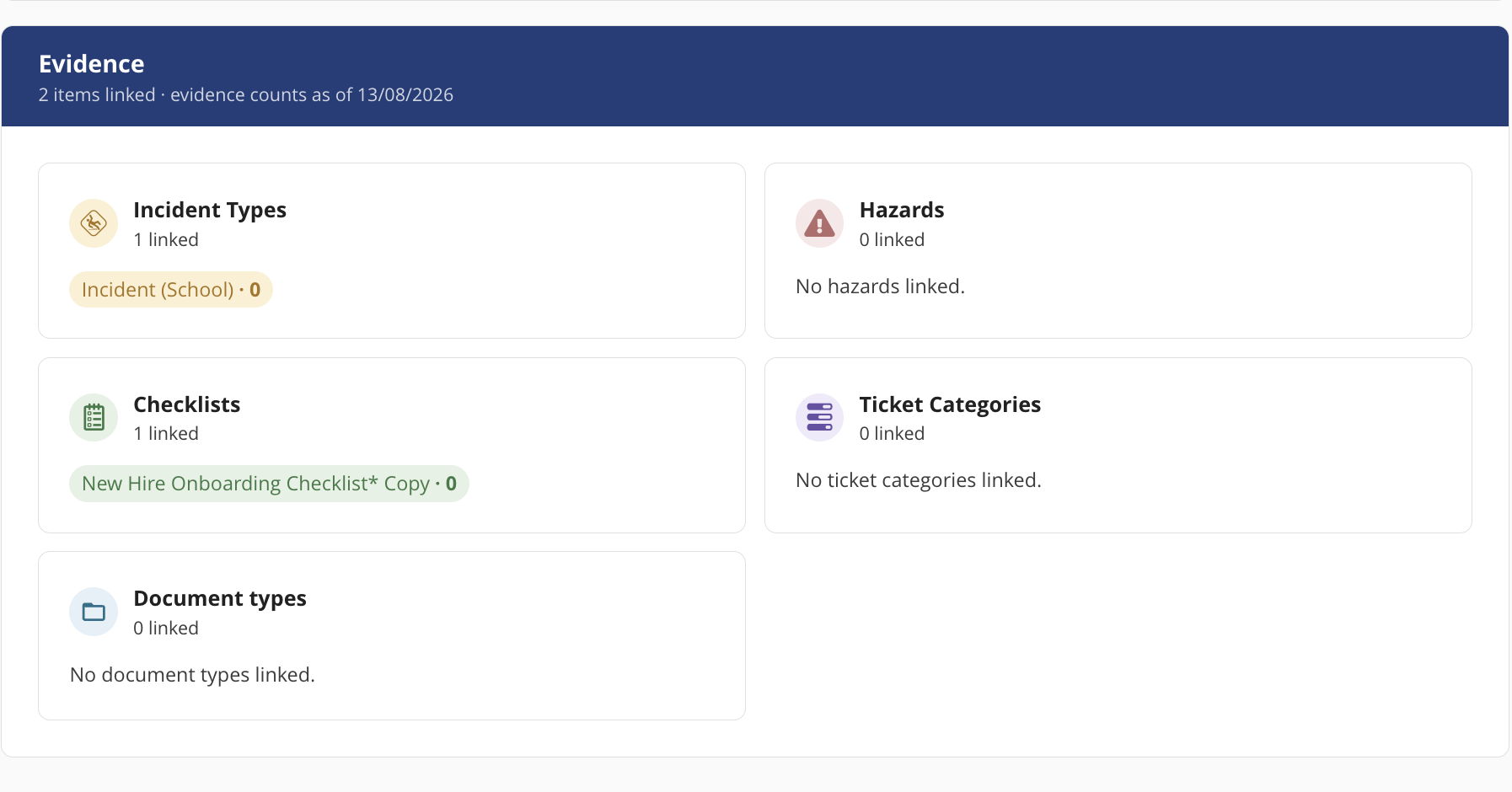
Link each policy to the relevant Checklist Templates, Ticket Categories, Incident Types, Hazards, and Document Types. Then allocate it to every centre, or just one.
1Place shows you the operational record attached to that policy across the review period: your supervision policy shows the checklists completed this review period; your incident policy shows the incidents recorded and how they were handled.
Quality Area 7 is about Governance and Leadership: well-documented policies and procedures, well-maintained records, shared values and clear direction, and an ongoing cycle of planning, review, and family engagement that turns a service into one that never stops learning and improving.
“I think our policies are being acknowledged” to “I know they are.”
Share, read, acknowledge
A policy nobody has read is not a policy. It is a document.
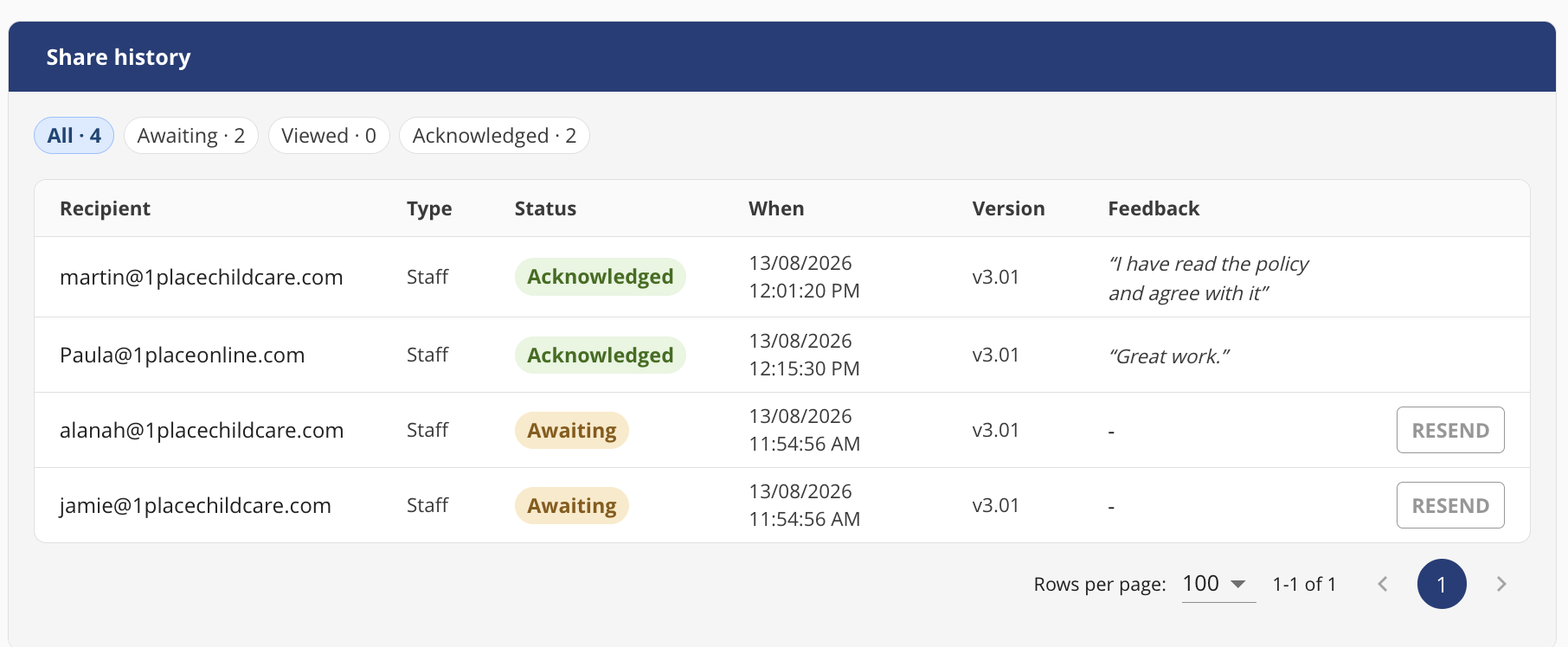
Share any policy with staff and families by selecting recipients already in 1Place.
Ask for acknowledgement, invite feedback, hit send. Staff and families can read and respond online.
Every acknowledgement and every comment is captured against the policy automatically, with the name and the date attached.
No download. No chasing. Nothing lost in an inbox.
A full history you can stand behind
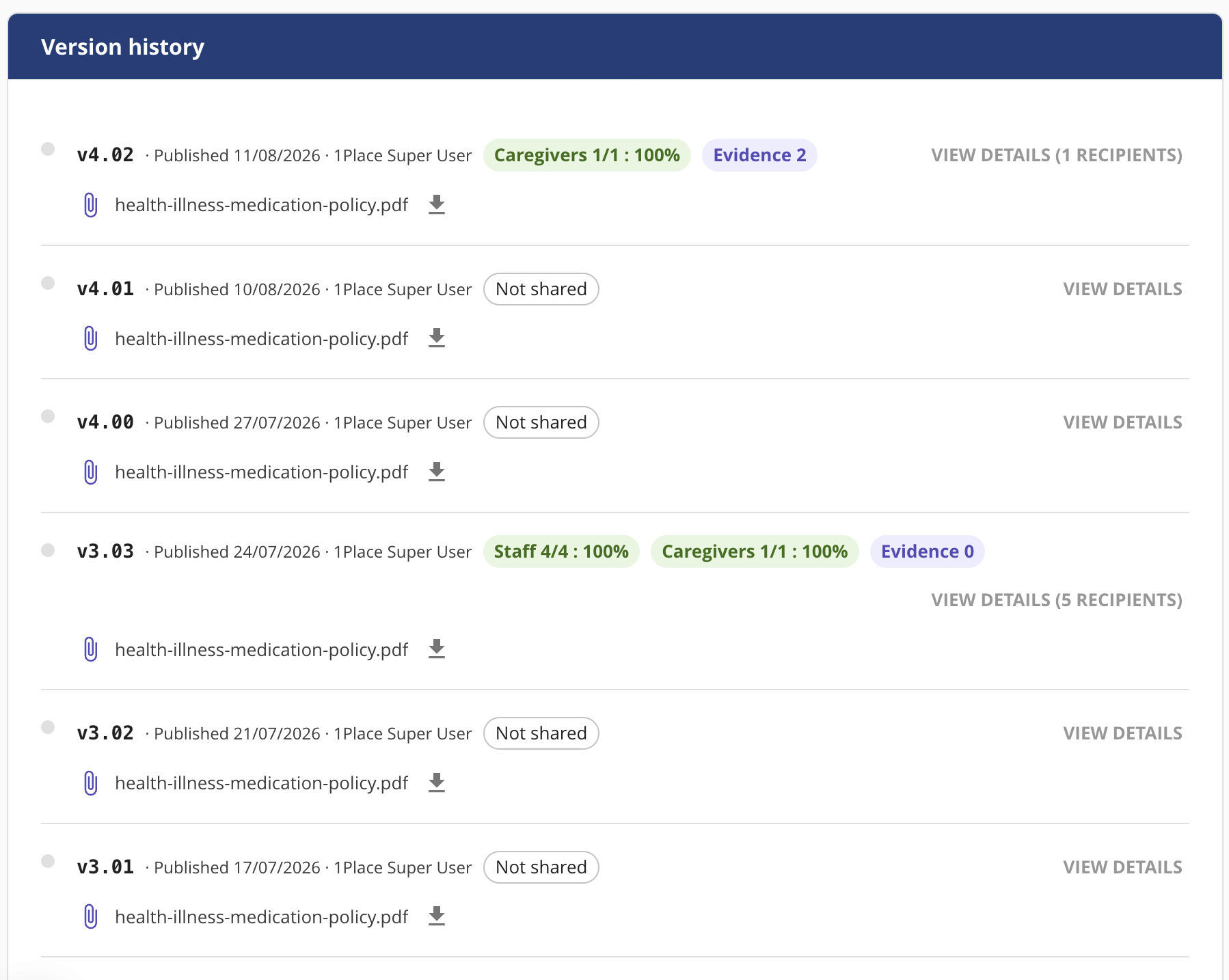
When a policy changes, upload the new version and publish it with the review date you set. The earlier version stays intact. So do the acknowledgement and feedback records against them.
You can see who signed off on each version, when, and what they said.
That is the complete history of how your policies have evolved, and how your people have engaged with them, ready when a regulatory authority asks.
This gives you a complete audit trail of how your policies have evolved. How your people have engaged with them. Evidence for external licensing authorities.
What’s coming next
This release is the foundation.
Reporting is on the way, with simple graphs and dashboard widgets giving you an at-a-glance view of your documents. See how many policies you hold, which are complete, and which are incomplete or overdue, all surfaced directly on your home dashboard.
Getting started
The Policies and Procedures feature is rolling out under the Documents menu. Contact your Client Success Manager to activate it and walk through setting up your first policy.
Our support team is available if you have any questions.